Softball Team RSVP & Attendance
Softball.love gives every team one RSVP link to share in the group chat. Players tap In, Maybe or Out for each game from their phone, with no download or account, and the captain sees who's coming early enough to find a sub.
One link, every game#
Post the link in the group chat, a text or an email. Each player sees the upcoming games and taps an answer. The captain's In/Out sheet shows every game's count, and who changed their answer and when.
Fewer surprises#
- Double-booking warnings. In rec softball, people often play in more than one league. If a player is marked In for two overlapping games on different teams, the captain sees a warning next to their name.
- Injured & Away. Mark a player out for a range of dates, and they're flagged on those games.
- A helper. Let a teammate manage the In/Out sheet without giving them your login.
Players' own page#
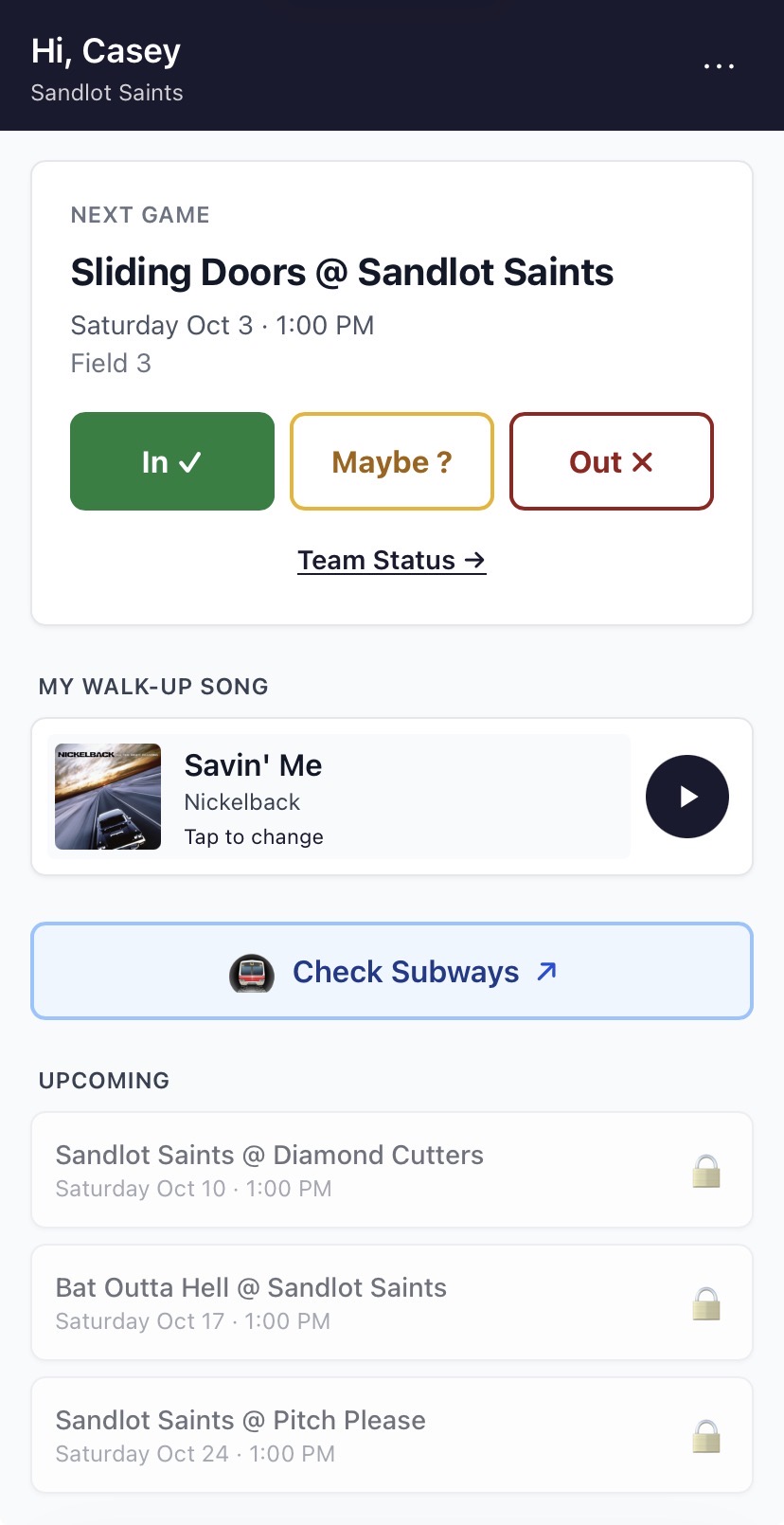
Every player gets a page with their next game, its time and field, and their RSVP. Added to the home screen, it opens in one tap.
From RSVPs to a lineup#
Once you know who's coming, build the batting order from them, with the coed pattern built in. Then plan the defense inning by inning.
Common Questions
- Do players need to download anything to RSVP?
- No. They use the link the captain shares and tap In, Maybe or Out.
- Can a teammate help manage attendance?
- Yes. A captain can add a helper who manages the In/Out sheet without the captain's login.
- What happens if a player is on two teams with games at the same time?
- The captain sees a double-booking warning next to that player for the overlapping games.