Softball.love for Players
If your team or league uses Softball.love, you don't need to download anything. Tap the link your captain shares to say whether you're in, add your player page to your home screen, pick your walk-up song, and subscribe to a calendar that updates when the schedule changes.
Say you're in, from the group chat#
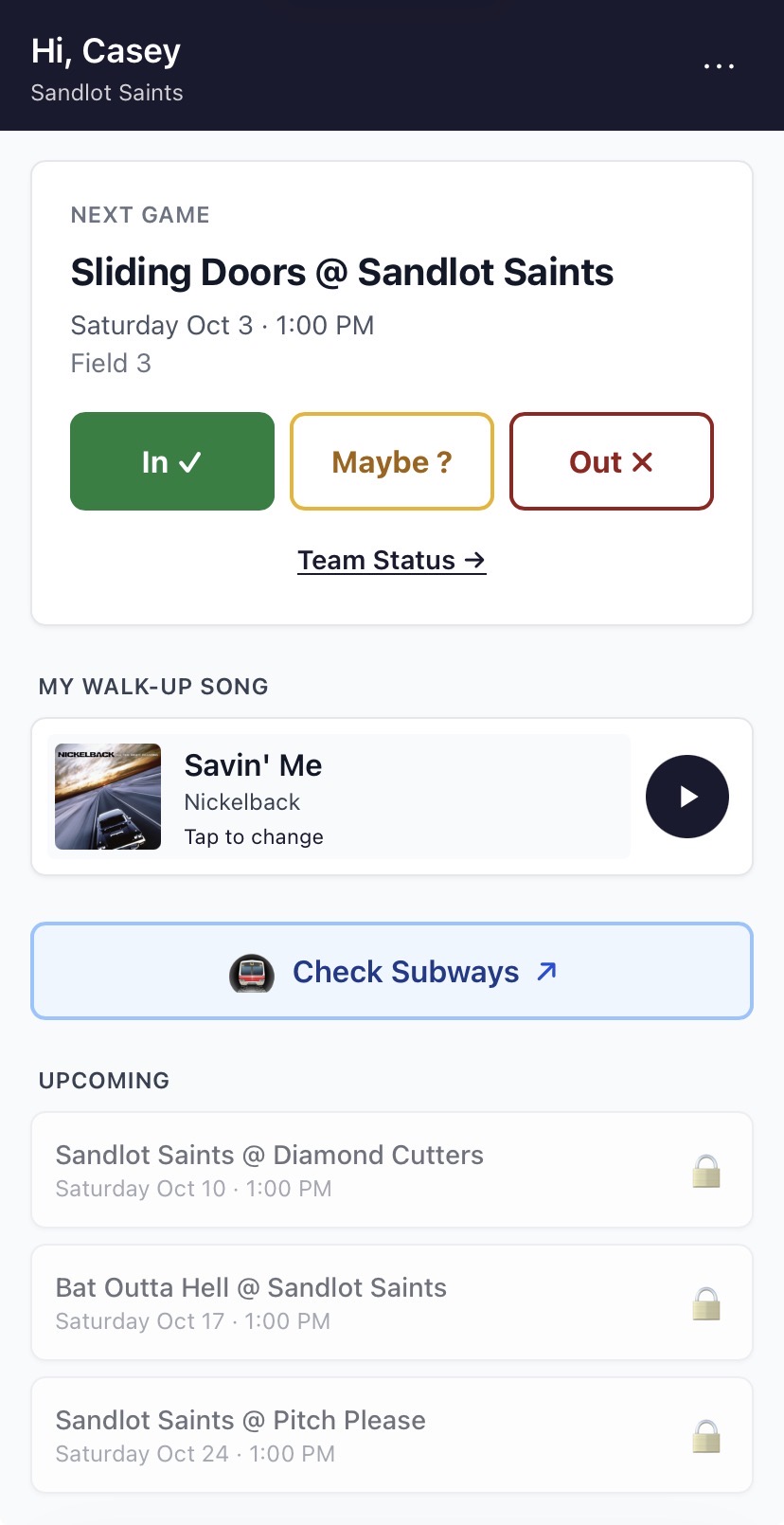
Your captain shares one link. Tap In, Maybe or Out for each game. That's it: no password and nothing to install. If you'll be away for a few weeks, or you're hurt, let your captain mark it, and you won't be counted on for those games.
Your next game, one tap away#
Every player gets a personal page with their next game, its time and field, and their RSVP. Add it to your phone's home screen and it opens like an app. If you play on more than one team, each team gets its own card.
Pick your walk-up song#
Choose the song that plays when you come up to bat. Your captain plays it from their phone.
A calendar that keeps up#
Subscribe to your team's schedule in Google Calendar, Apple Calendar or Outlook. When the league moves a game or a rainout cancels one, your calendar updates by itself.
Joining a team or league#
Your captain sends a sign-up link each season. You confirm your name and contact details yourself, so captains and commissioners aren't retyping rosters. Looking for a league to join? Browse leagues by city on the league directory.
Common Questions
- Do I need an account to RSVP?
- No. Use the link your captain shares and tap In, Maybe or Out.
- Can I get my games in my phone's calendar?
- Yes. Subscribe to your team's calendar feed and it updates whenever the schedule changes.
- How do I find a softball league to join?
- Browse the league directory on Softball.love, where leagues are listed by city with their schedules, standings and how to join.